AuthorKatrina Klawiter

DateJun 30, 2026
Reading time5 min read
The Paid Media Loop is the operating system behind how Part and Sum runs media: one connected workflow from plan to activation to measurement, shared between our team and yours. No juggling spreadsheets across a dozen platforms. No waiting for a weekly reporting deck. The work happens in one place, and you can see all of it.
Built for Accountability
Our Paid Media Hub is designed to eliminate manual work and reduce risk. Our clients never have to wait on weekly reporting deliverables. Instead, the hub provides visibility, an easy path to alignment, and smooth collaboration throughout the whole process. Formal sign-offs create a clear audit trail at every stage. You'll always know where things stand — and so will we.
Our Hub is included with all media management engagements, meaning you get access to the full platform as part of our partnership. It's the foundation for how we work together.
Humans in the Loop
Every media plan in the Media Loop moves through structured sign-offs – budgets, creative, launches. A person approves every decision, and every approval is logged, so there's a complete audit trail from first brief to final report.
As more of the industry's media workflow gets automated, we think accountability matters more, not less. We built governance into the Loop from the start. You'll know where things stand, and so will we.
The Media Loop is included with every media management engagement. It creates the foundation of how we work together.
How the Media Loop Works
The Media Loop is organized around media objectives and plans. Each plan holds the flight dates, total budget, and every campaign underneath it. It becomes a single source of truth that allows for all workflows (agentic or not).
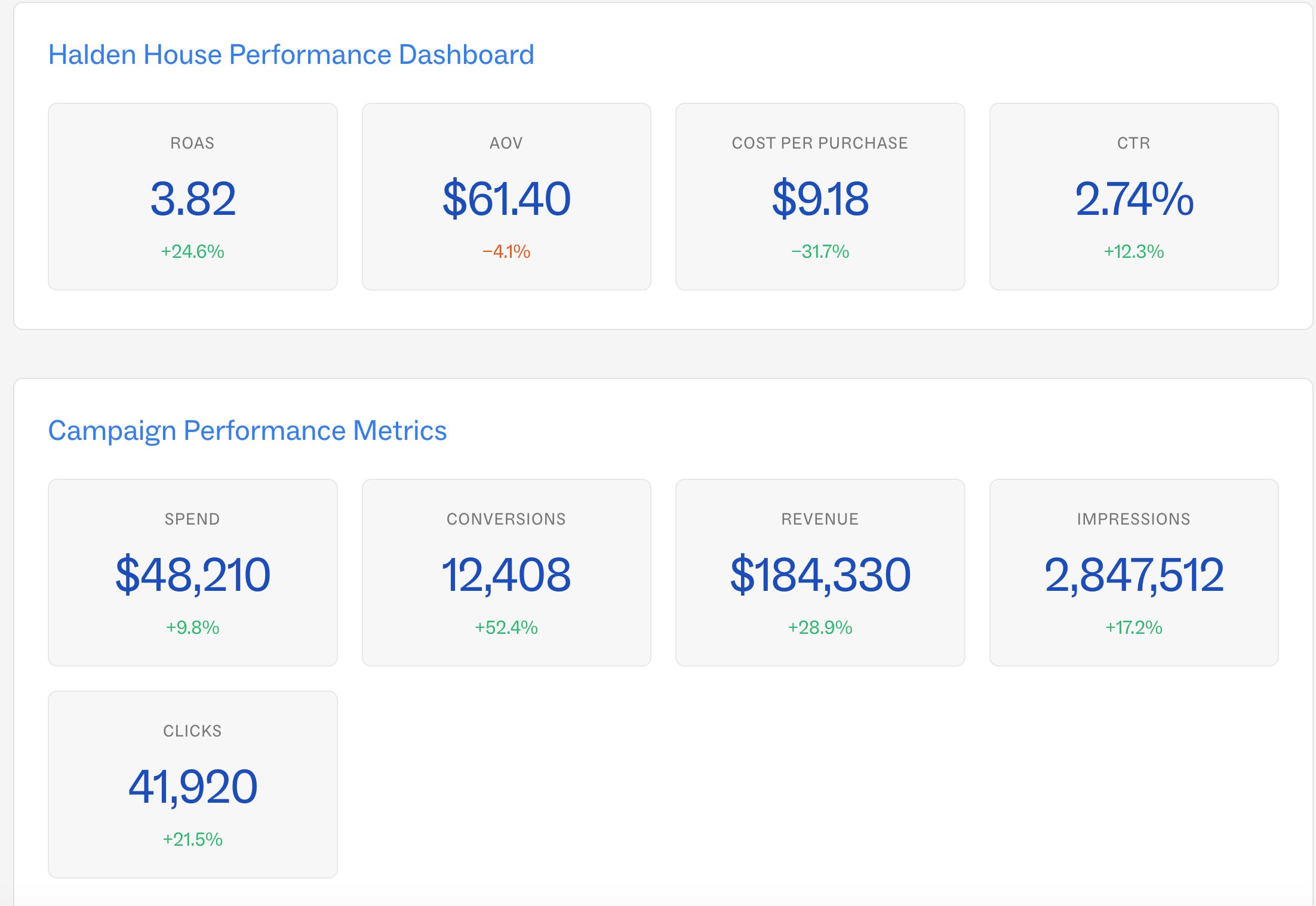
A stylized recreation of the Paid Media Loop client dashboard. Client data anonymized.
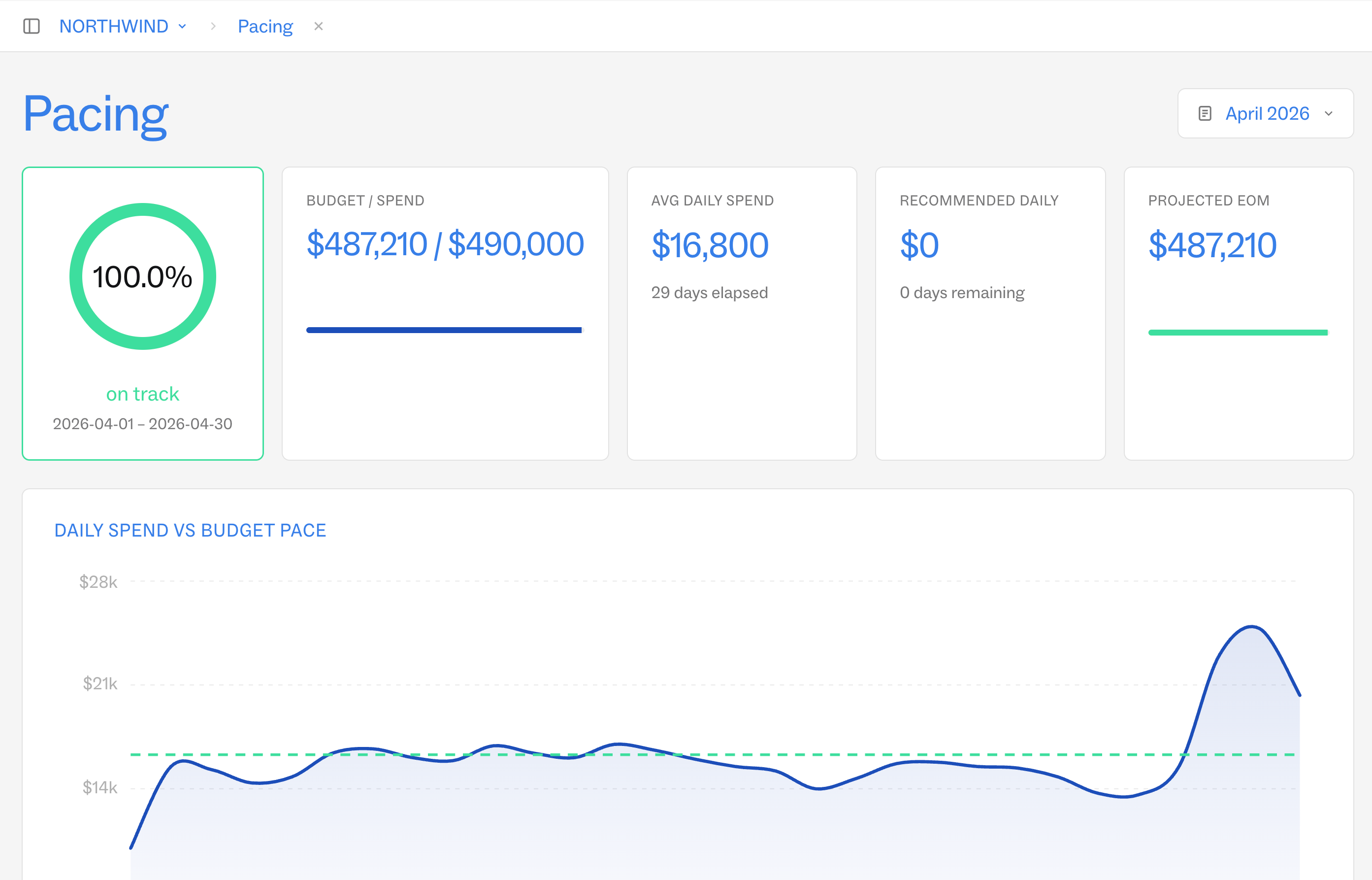
From there, our growth team allocates budget across platforms and campaigns launch against the plan. Once a plan is live, pacing flows back into the same view in real time. If spend or performance drifts from goal, we see it immediately and so do you.
Collaborate on Creative
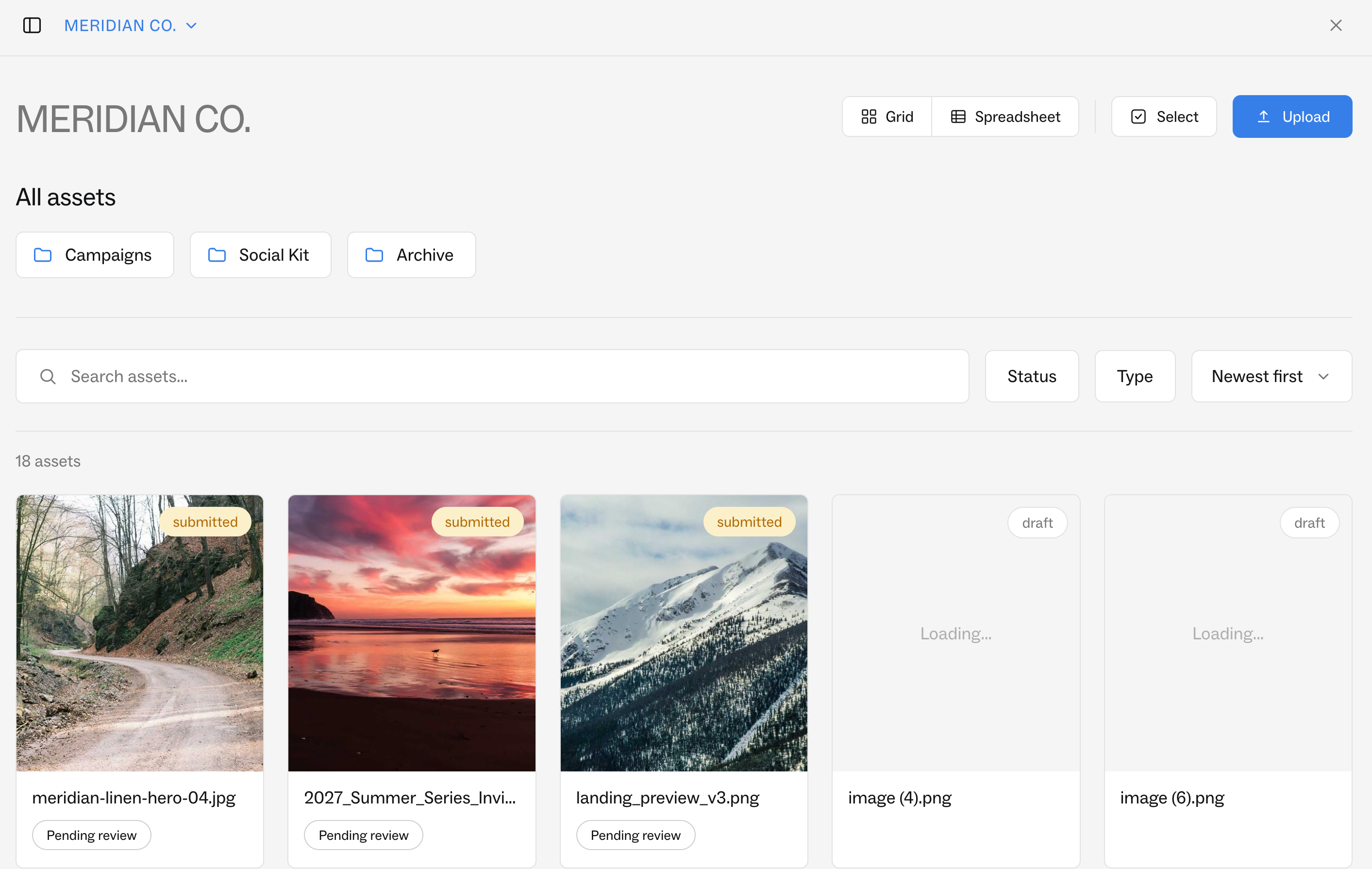
The Creative Center brings your team, our team, and any third-party partners into one shared space to upload, review, and approve assets (or works with your DAM). You can see the strategy behind each campaign, the platforms in play, and the technical specs, and you can request copy changes without starting an email chain.
Every asset moves through the same structured approvals as the plan itself. Nothing goes live without the right eyes on it.
See Results in Real Time
Live dashboards cover performance across every channel:
Overall Performance — a blended view across all channels
Campaign Pacing — spend and KPIs tracked against goal
Creative Performance — which assets are working, and why
Custom dashboards are available too, built around whatever your team is prioritizing — a launch, a test, a single KPI.
Part of a Bigger System of Loops
The Paid Media Loop is one piece of how Part and Sum turns strategy into a system. It works alongside our various Analytics Loops, where we build measurement architecture – incrementality frameworks and custom reporting that connect media activity to business outcomes. Audience strategy draws on our Synthetic Audience Models, which let us pressure-test a plan and creative against modeled customer segments before spending a dollar.
Each of these connects to the martech platforms and tools you already use. Our Loops are built to work with your stack, not replace it.
We're still building. Automation handles what should be fast and repeatable. Humans drive the strategy.
Frequently Asked Questions
How secure is the Paid Media Loop?
Each client has a dedicated workspace. Your data is never visible to other Part and Sum clients, access is role-based, and every action in the Loop is logged through the approval system — a complete, reviewable record of every decision made on your account.
How does the Media Loop provide transparency?
You never have to wait for a deck. Live dashboards show performance across every channel as it happens, and every optimization is visible in the Media Loop along with the reasoning behind it. If something isn't working, you'll see the fix and why we made it.
Does the Media Loop replace the tools we already use?
No. Media still runs where it runs. Our Media Loop connects planning, approvals, and reporting on top of your existing platforms. Think of it as the connective layer, not another closed system.
Are custom dashboards available?
Yes. We build them around what your team is actively prioritizing within a campaign.
Related Insights
If you liked thisyou'll love 😍 these too